Roles & Permissions
Give access, not a master key
Every user in AutaRota has a role, and every role has its own permissions: which pages they can see, which buttons they can use, and which fields they can view or edit.

One login for everyone is a risk you do not need
Give every team member full access and it is only a matter of time before someone edits a rota, approves their own leave, or sees a colleague’s salary by mistake.
Restrict everyone to the same narrow set of permissions and your supervisors cannot do the job you actually need them to do.
Permissions built around your roles
Roles that match how your team works
Start from the built-in roles or add your own, like Supervisor or Head Chef, then decide exactly what each one can do.
Control down to the page, button and field
Permissions cover whether a role can see a page at all, whether it can use actions like adding or deleting a record, and whether it can view sensitive fields such as pay rates.
Changes apply to everyone with that role, immediately
Update a role’s permissions once and every team member assigned to it is affected immediately, with no need to log anyone out.
See it in action
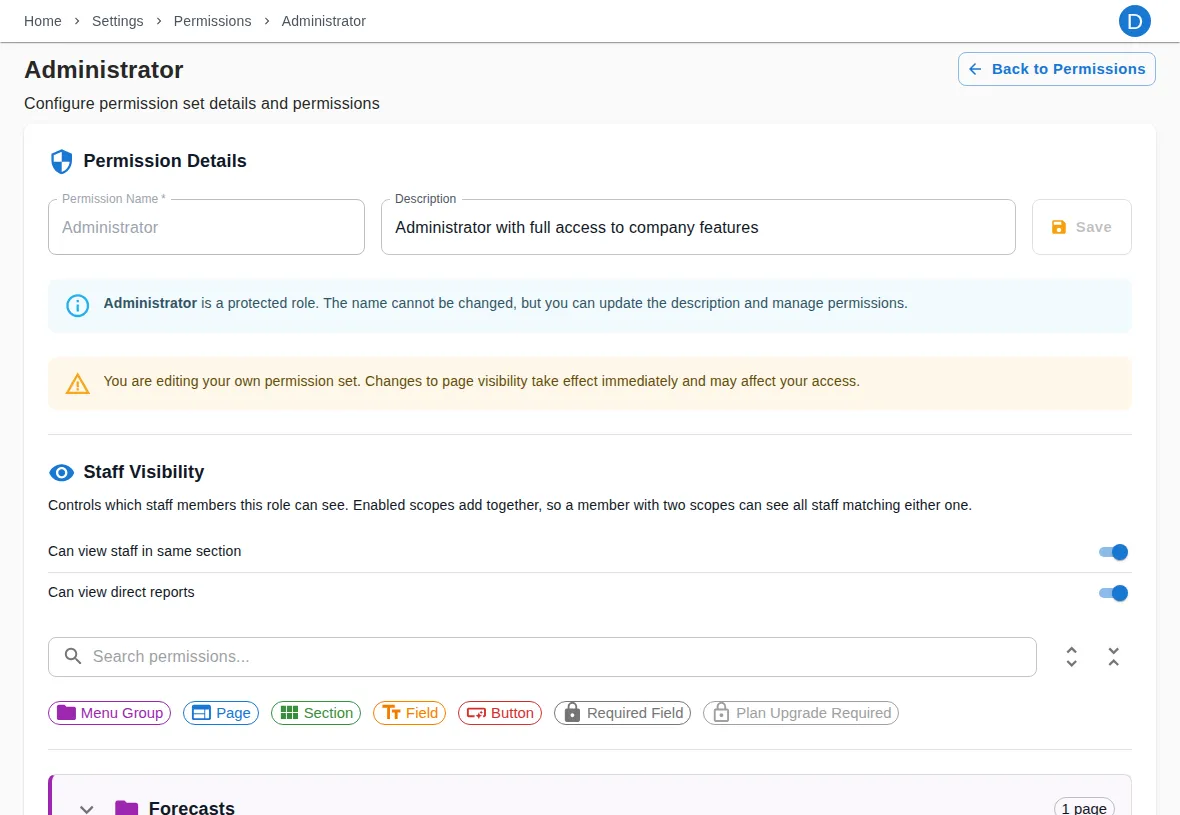
The permissions editor, where you decide what each role can do
Ready to see it for yourself?
Start your 14-day free trial today. No credit card surprises, cancel any time.
Start free trial14-day free trial · Cancel any time