Holiday Management
Leave requests without the group chat
Staff submit leave requests in AutaRota, managers approve or decline in a click, and everyone gets an email confirmation. No more requests lost in a message thread.

Leave requests get lost, and approved leave gets missed
When leave requests arrive by text, email and word of mouth, it is easy to lose track of who asked first, and who has already been approved for the same week.
Discovering two members of the same department booked the same weekend off, after you have already published the rota, is a bad way to find out.
One place for every request

Staff request leave in a couple of clicks
Staff submit a leave request in AutaRota, with the dates and a note, no separate form or spreadsheet.

Approve or decline in a click
Managers see every pending request in one list and approve or decline it in a click. Staff get an email confirmation either way.
Approved leave visible before you publish
Approved leave shows against the rota as you build it, so you see who is away before you assign a shift, not after.
See it in action
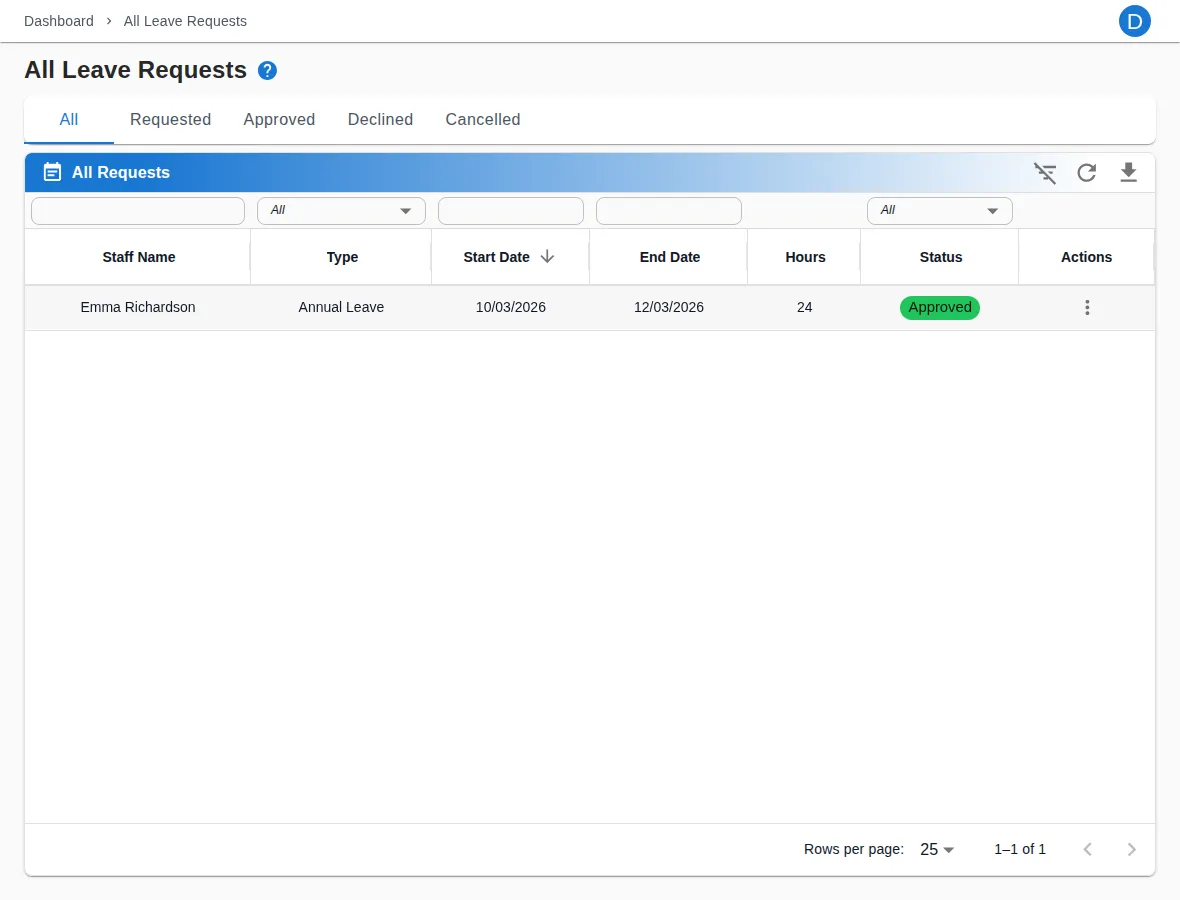
Leave requests, approved or declined in a click
Ready to see it for yourself?
Start your 14-day free trial today. No credit card surprises, cancel any time.
Start free trial14-day free trial · Cancel any time